
1 min read·Last updated: 04.26.2024
How to Use the Switchboard to Filter SPAM Calls
Spam callers rarely press a key when prompted by a call tree. By routing every inbound call through an Auto Attendant first, you can drop unattended spam calls before they ever reach your receptionists.
- Create a Sound Clip to direct callers through a call tree. It can be as simple as “Thank you for calling (insert practice name), if you are a new patient press 1, if you are an existing patient press 2.”
- Add an Auto Attendant in the Switchboard as the first thing a caller will hit during open hours. Do not connect On Timeoutto anything — this will drop any unattended spam callers from reaching receptionists.
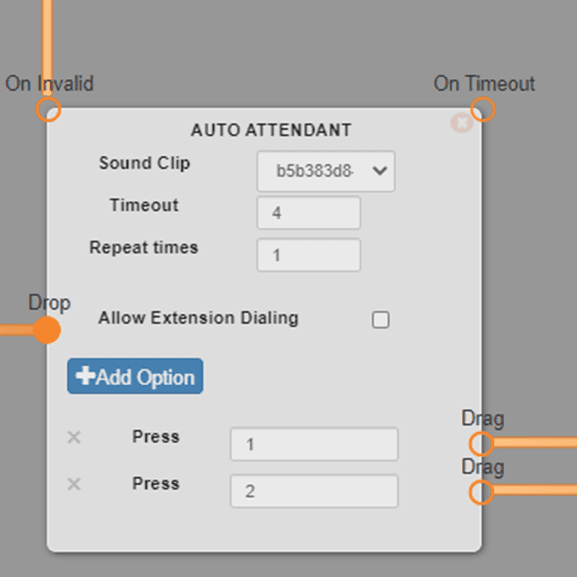
- You can do the same for after-hours Auto Attendants.
- Increase Repeat times from 0 up to 1 or 2 so callers will make sure to select an option and not be disconnected.
Tip: Leaving the On Timeout path disconnected is what filters the spam. Real callers will press an option and be routed normally, while auto-dialers that stay silent are dropped when the Auto Attendant times out.
How do I get help?
- Mango Voice Support — Phone: (435) 466-2646
- Mango Voice Support — Email: support@mangovoice.com