
1 min read·Last updated: 04.24.2024
How to Upload a Sound Clip
You can upload sound clips from your computer using Mango's Admin site.
- Log into your account at admin.mangovoice.com.
- Select Sound Clips from the left navigation menu.
- Select Upload Sound Clip.

The New Sound Clip window opens.
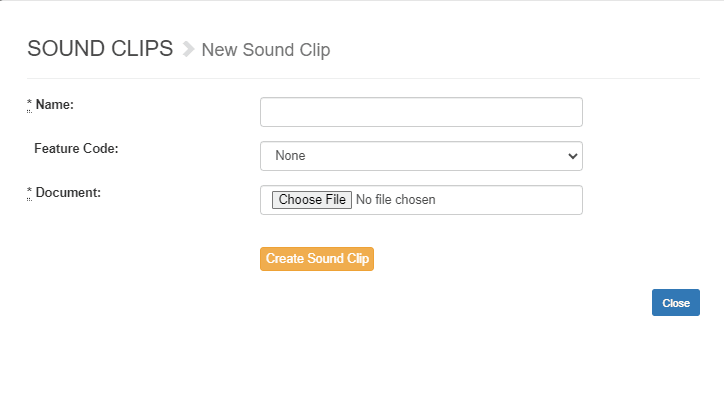
- Select Choose File.
- Select the correct file from your computer.
- Name your sound clip. We recommend naming it something that is easily identifiable.
- Choose a feature code if desired. A feature code allows you to re-record your sound clip from your business phone later.
- Click Create Sound Clip.
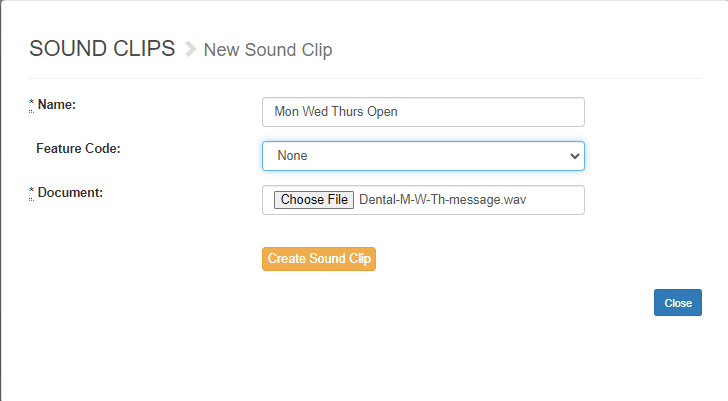
Now you can select your new sound clip from any relevant place within your company's Mango Admin portal.
Prefer to record from your phone instead? See How Do I Record a New Sound Clip?
How do I get help?
- Mango Voice Support — Phone: (435) 466-2646
- Mango Voice Support — Email: support@mangovoice.com