
Transfer switchboard object
The Transfer object is used to transfer directly to an extension.
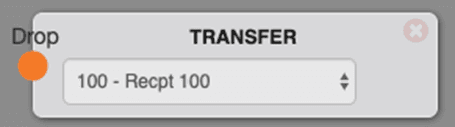
Options
- Extension: This is used to select the phone you would like to ring.
Use cases
This is mainly used to transfer to someone's direct line, as it can only ring a single phone.
FAQs
How is this different from an external transfer?
An external transfer is used to transfer to a number outside of your Mango Voice system (i.e. a cell phone).
Can I do this as the first item in a switchboard?
Yes, but this is a terminating object which means that once the call goes into this object it cannot leave and the call flow ends.
Can I transfer directly to someone's voicemail?
To transfer directly to someone's voicemail, use the leave voicemail object. If you are trying to transfer a call to voicemail while on an active call, use *2 followed by the person's extension.
What types of extensions can I transfer to?
You can transfer to line extensions only. In order to transfer to queues, faxes, or voicemail use the corresponding switchboard objects.
Can you control the ring time?
No. The Transfer object has a built-in ring time of 7-8 rings before it goes to the voicemail of the extension selected.
How do I get help?
- Mango Voice Support — Phone: (435) 466-2646
- Mango Voice Support — Email: support@mangovoice.com