
1 min read·Last updated: 04.29.2024
Custom Caller ID switchboard object
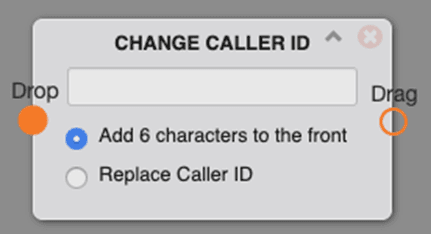
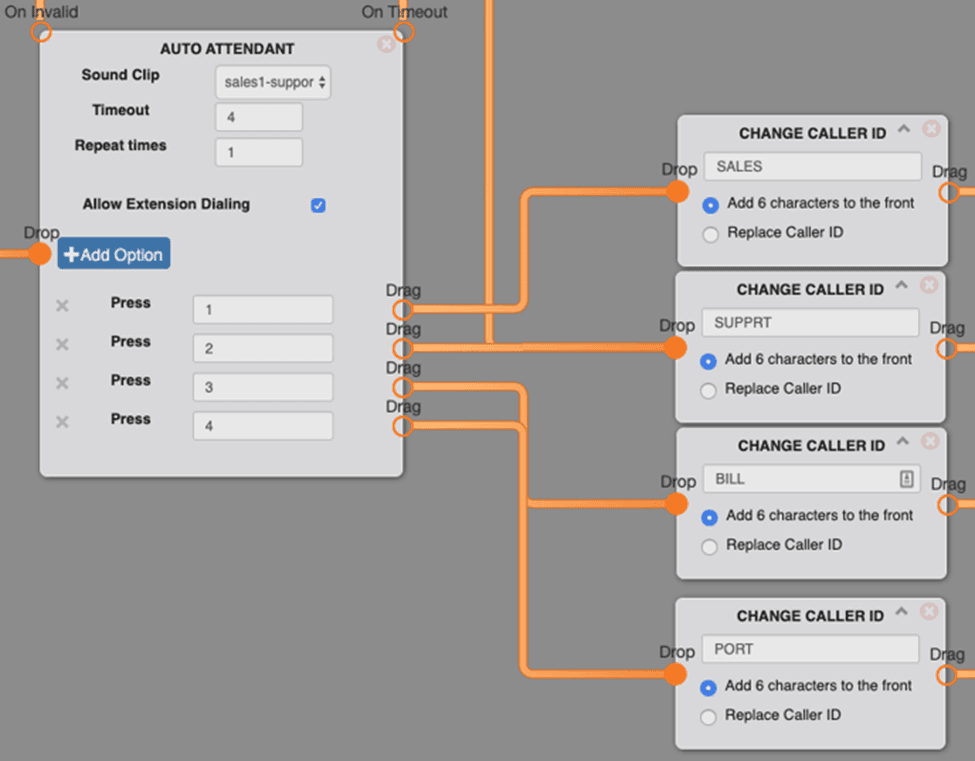
The Custom Caller ID object (shown as Change Caller ID in the switchboard) lets you modify the caller ID for calls that travel down a particular path, making it easier for agents to tell where a call came from.
Options
- Add 6 characters to the front— adds your desired characters to the caller ID associated with that path.
- Replace Caller ID— overrides an existing caller ID coming through the call path.
Use cases
- Change caller ID internally to easily distinguish which department is being dialed within your organization.
- Change caller ID to ESP or SPAN to notify the agent that a caller has selected the Spanish option.
FAQs
Can I use this object to change my outbound caller ID?
No, this object only works within Mango Voice.
Why can I only add 6 characters to the front of caller ID?
The number of characters displayed on caller ID differs between physical phones. This is limited due to the display size of most phones.
How do I get help?
- Mango Voice Support — Phone: (435) 466-2646
- Mango Voice Support — Email: support@mangovoice.com