
Mango Voice Desktop App
How to download and install the Mango Voice Desktop App.
Download the app: Use the link below to download the Mango Voice Desktop App.
Download the Desktop AppThe Mango Voice Desktop App uses the same credentials you use to log into the web app or admin.mangovoice.com.
Note: For the web phone portion of the Mango Voice Desktop App to work, you must have a headset with a microphone connected to your computer.
Set up the web phone
Enable the web phone
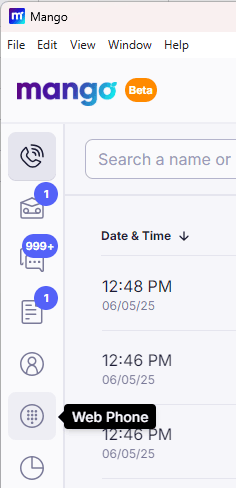
Click the web phone icon in the menu and enable the web phone.
Activate the web phone
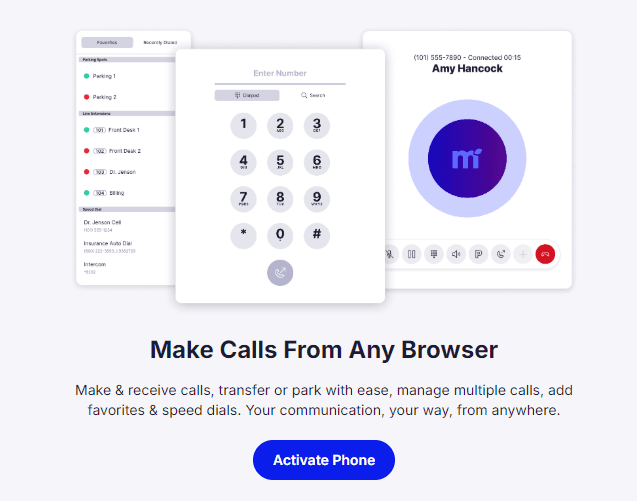
Activate the web phone within the desktop app by clicking the "Activate Phone" button.
Place a call
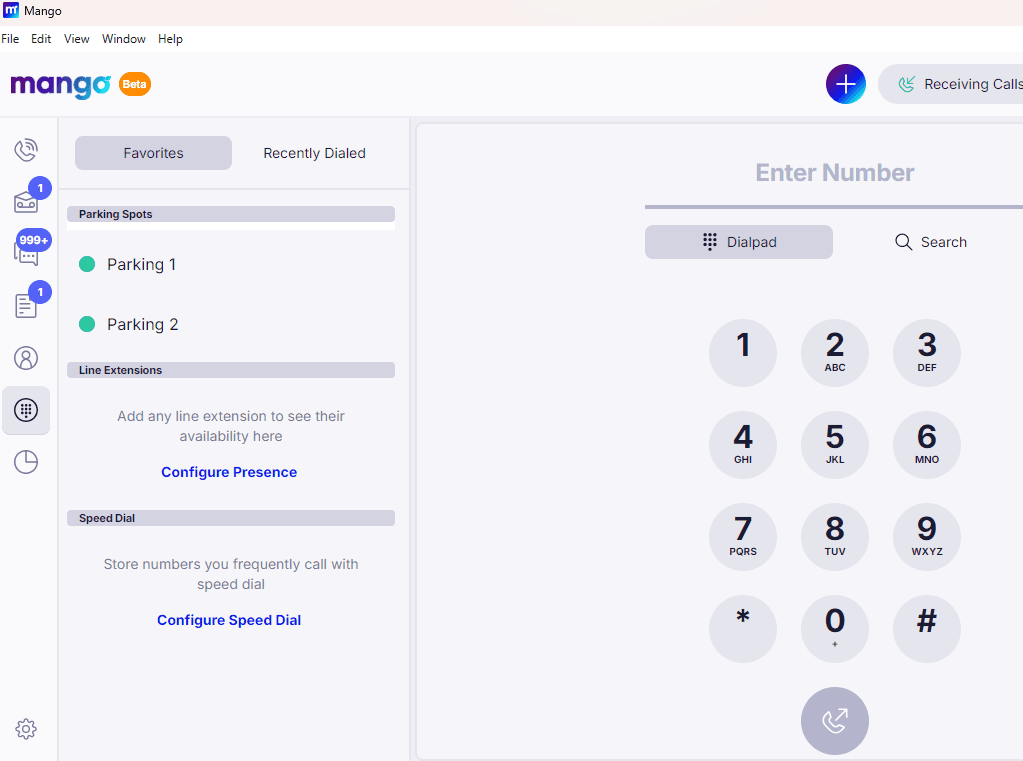
Once you've activated the phone within the desktop app, you can use either the number pad on your keyboard or the on-screen dialpad to place calls.
How do I get help?
Contact our support team if you would like further assistance with the Mango Voice Desktop App.
- Mango Voice Support — Phone: (435) 466-2646
- Mango Voice Support — Email: support@mangovoice.com