
It's July 3rd, Why Are My Phones Turned Off? How Can I Turn Them Back On?
When July 4th falls on a Saturday, businesses that are closed on weekends normally observe the holiday on Friday, July 3rd. This causes your phones to be closed on the 3rd. Follow the steps below to turn them back on.
Steps to turn phones back on
- 1
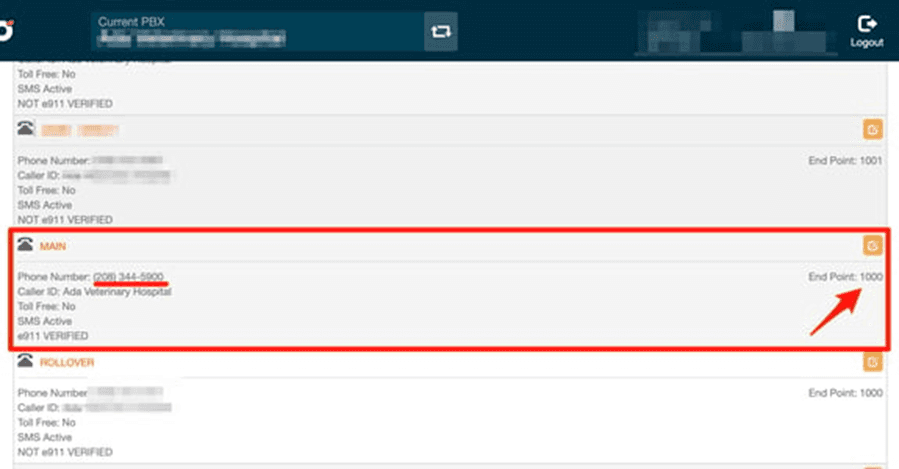
Find the phone number that is having the issue in your My Numbers section. This is commonly named "Main".
- 2
Identify where the number is assigned. For example, it is common to have a "Main" number pointing to extension 1000 or the Switchboard.
- 3
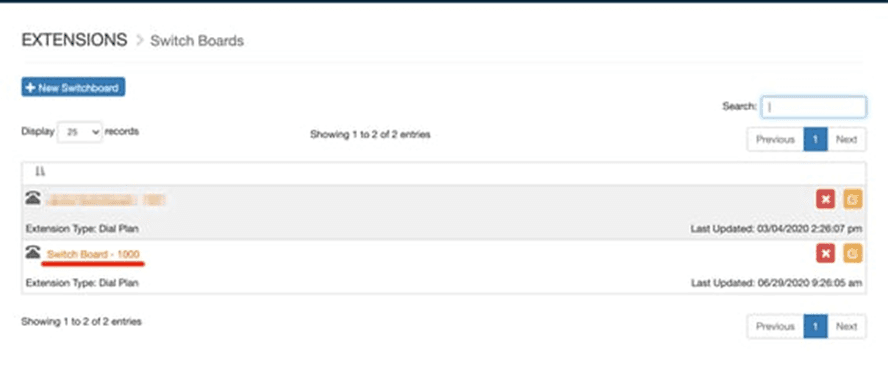
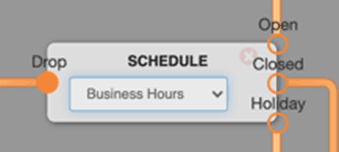
Open the Switchboard from the left navigation. The switchboard usually has a Schedule element at the beginning of the flow. The Schedule object can be configured to use different schedules, but it is commonly named "Business Hours".
- 4
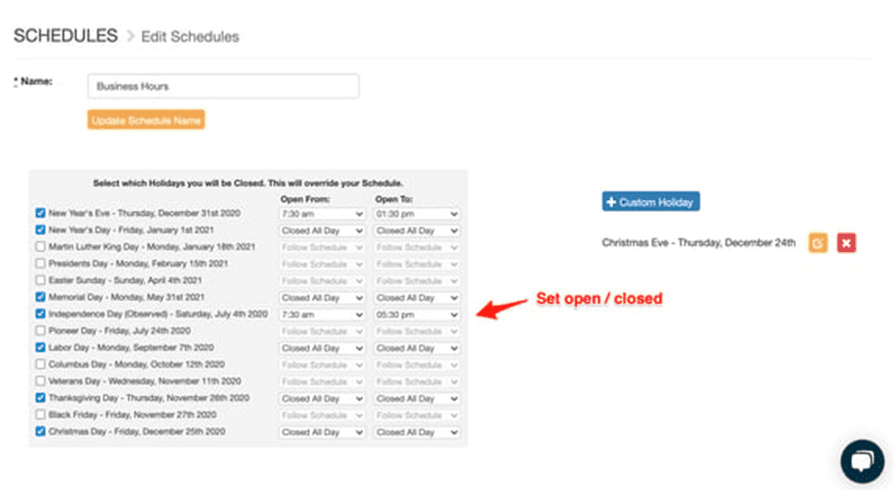
Open the Schedules section from the left navigation. Click on the schedule that is causing the issues to view it, then set the affected holiday (such as Independence Day) to the hours you want to be open.
How do I know if it's working?
Make a test call from your cell phone to the "Main" or impacted number and see if it is currently working.
Still need help?
If your phones are still closed after updating the schedule, reach out and we can help you trace the number through your switchboard and schedule.
Visit the Support Center