
1 min read·Last updated: 08.28.2024
Dynamic Outbound Caller ID in the Web App
Why use this?
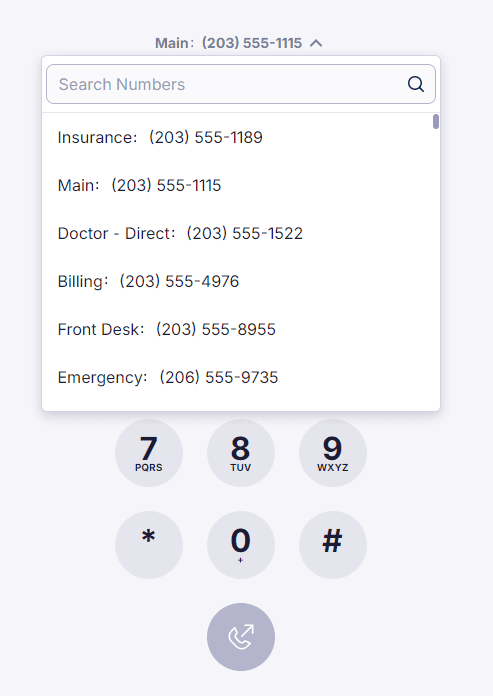
When you make an outbound call you can select which phone number — and by extension which Caller ID— is used. This is handy when a single business runs multiple numbers (Main, Billing, Front Desk, and so on) and you want each call to show the right number to the person you’re reaching.
To enable
- Log into app.mangovoice.com.
- Go to Settings → Phone.
- Under Caller ID, click Enable Caller ID selection.
To use
- Click on the Web Phone tab on the left.
- Click on the list above Enter Number to select the phone number to make a call from.
Note: The last phone number used will be remembered and automatically selected when you make another outbound call.
Note: A phone number can also be selected when you make a New Call.
Q&A
How do I change the Caller ID of a phone number? Please contact our Support Team and give them the phone number along with the 15-character-or-less Caller ID you would like all carriers to use instead.
How do I get help?
- Mango Voice Support — Phone: (435) 466-2646
- Mango Voice Support — Email: support@mangovoice.com