
1 min read·Last updated: 04.26.2024
How to integrate and troubleshoot Patient Xpress with Mango Voice
How does it work?
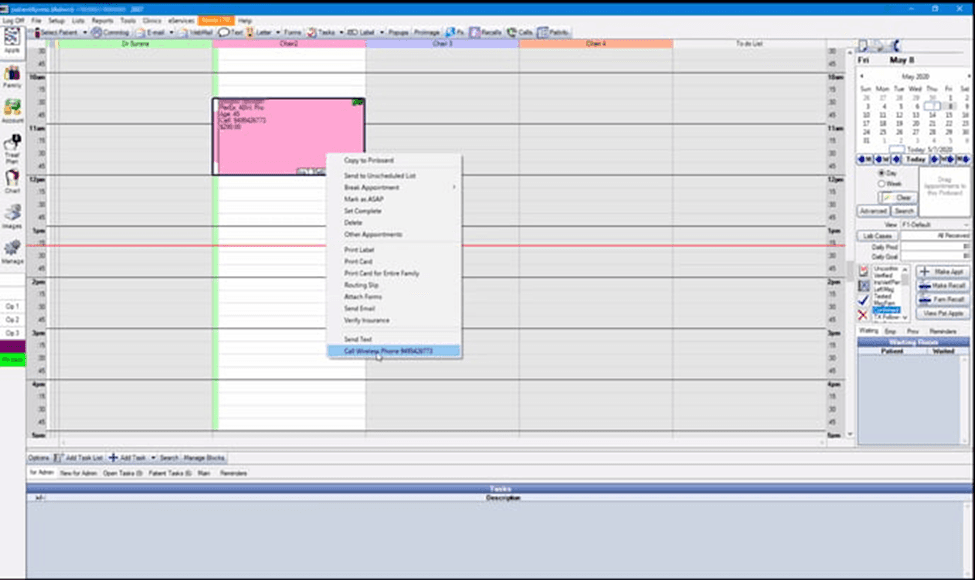
Patient Xpress provides a powerful, seamless integration with Eaglesoft and Mango Click 2 Call from a patient record.
How do I set it up?
- Go to the Mango Voice dashboard.
- Go to “Numbers”.
- Find the Switchboard that the Main number points to.
- Go to Switchboards and open the one referenced in the previous step.
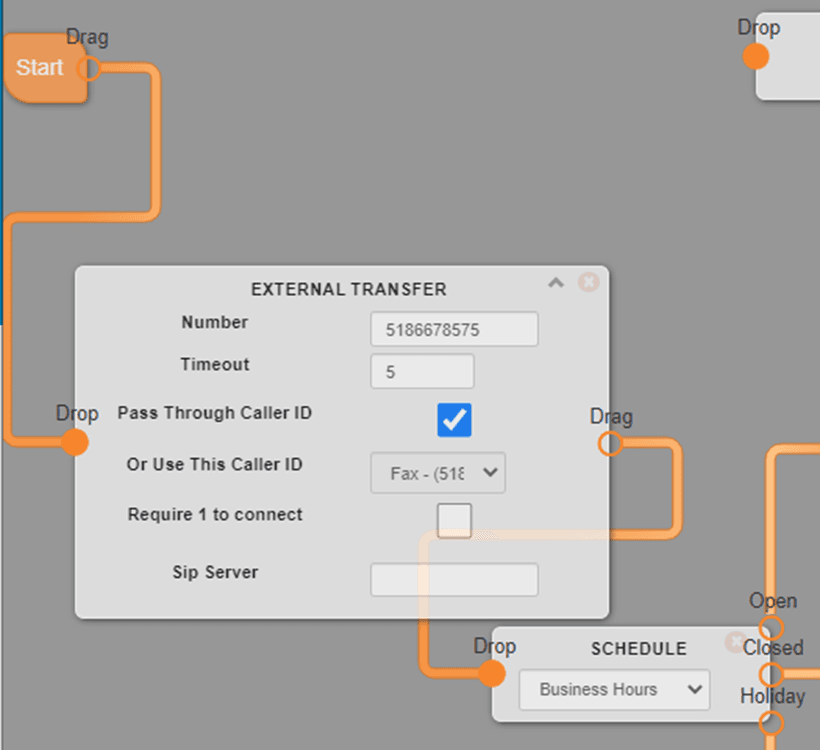
- Using the number provided by Patient Xpress, add an “External Transfer”, with a 5 second timeout, to the beginning of the call flow.
- Save the switchboard.
- Have the customer restart their Patient Xpress software.
- Place a test call.
How do I get help?
There is no portal access for the customer to set this up, so you will need to contact the Patient Xpress support team.
- Patient Xpress Support — Phone: (949) 542-6773
- Patient Xpress Support — Email: support@patientxpress.us
- Mango Voice Support — Phone: (435) 466-2646
- Mango Voice Support — Email: support@mangovoice.com