
1 min read·Last updated: 04.01.2025
Archy integration setup with Mango Voice
How to set up the Archy integration to work with Mango Voice. Follow the steps below to connect the two systems and choose which extensions receive call pops on each computer.
How to set up
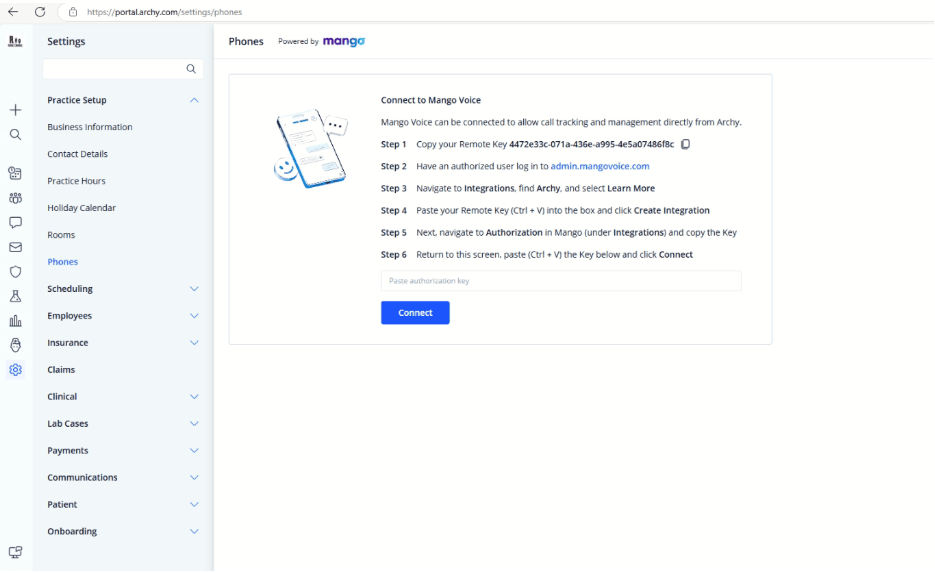
- In Archy, go to Practice Setup › Phones.
- Copy the Remote ID from Archy into Mango Voice's Archy integration in Admin, then enable the integration.
- In Mango Voice Admin, under Integrations › Authorization, generate a new API key, copy it to Archy, and click Connect.
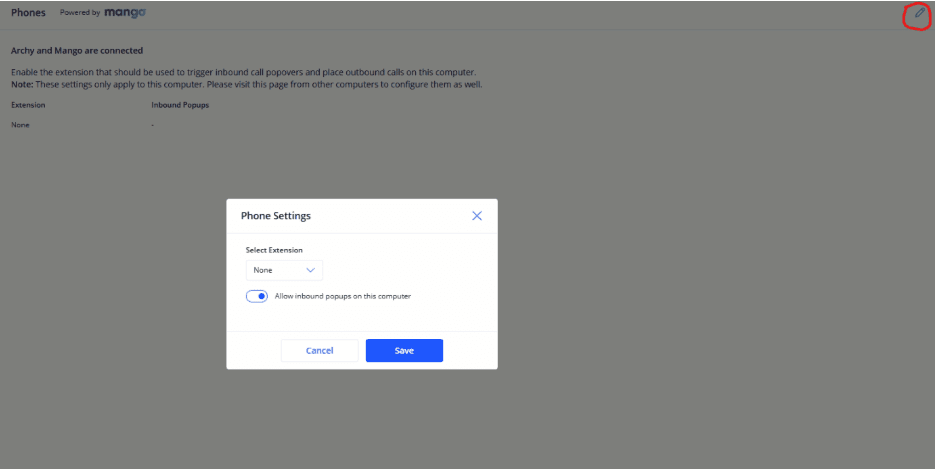
- Click the pencil icon in the top-right corner.
- Select the extensions that this computer should receive pops for.
- Done!
How do I get help?
- Mango Voice Support — Phone: (435) 466-2646
- Mango Voice Support — Email: support@mangovoice.com